Performance
What is expected of somebody, and how it went.
HRM guide 6 of 7 · 19 min · 6 screenshots · updated 20 Aug 2026
- For
- Admin, HR, Managers, Everyone
- Use
- Setup + everyday
- Needs
- Your people added
Covers what is expected of somebody and how it went: Objectives & Goals — the scorecard, the shares between its parts, and the goals people write for themselves — Appraisal Cycles, the review that scores against them, Surveys & Feedback for what the people around somebody think, and Improvement Plans for what follows when something is not being met.
Objectives depend on nothing except having added your people, and they are useful on their own: plenty of companies run goals and never open an appraisal cycle at all. If you have not added your people yet, do HRM — start here first.
- Part 1 — One-time setup
- Part 2 — Building a scorecard
- Part 3 — Running an appraisal cycle
- Part 4 — What everybody else does
- Part 5 — Surveys and 360° feedback
- Part 6 — Improvement plans
- Part 7 — Somebody'''s whole story here
Section 01What this is for#
Until this module existed there was nowhere in Facto to write down a target. That sounds like a gap in a feature list and it is actually the reason most appraisals go badly: the objectives were agreed in a conversation, the review happens eleven months later, and both people are arguing from memory about what was asked.
A scorecard is a few key performance areas — the broad parts of the job — each carrying a share of 100, with the measurable results that make them up underneath. Goals sit beside it for time-bound things somebody is working towards, and every employee can write their own.
⚠ You do not need all three. KPA, KRA and Goal are the same shape underneath, which is why one screen holds them, and a company that runs goals alone is using this module correctly.
OpenObjectives & GoalsAppraisal CyclesSurveys & FeedbackImprovement Plans
Part 1One-time setup
ForAdmin, HRSections0Read2 minNeedsNothing
WhereSettings›HRM›Performance
OpenRating Scales
Rating Scales#
A rating scale is the set of bands people are scored against — how many, what they are called, and their order from worst to best. A five-point scale is created for you the first time you open an appraisal cycle, so for most companies this screen is a five-minute rename.
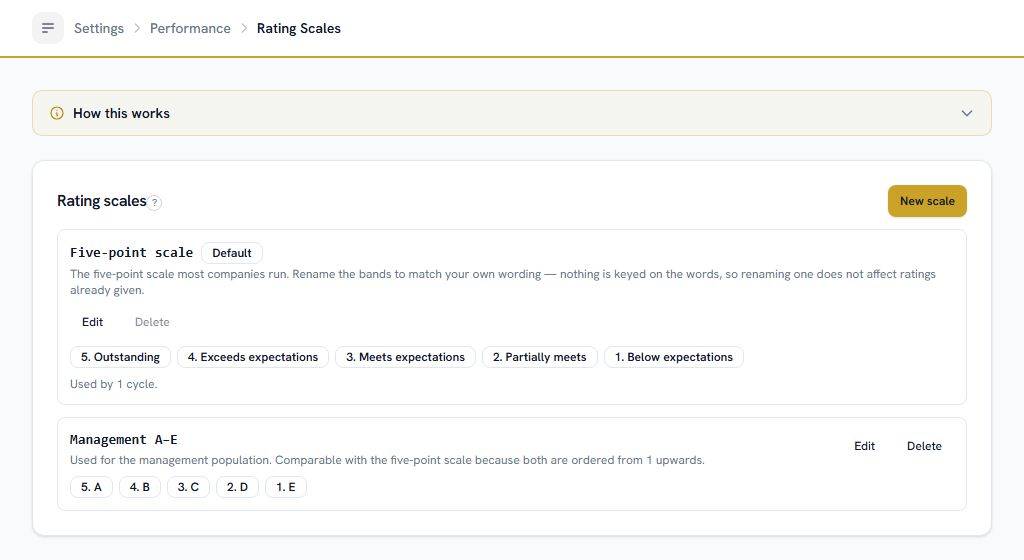
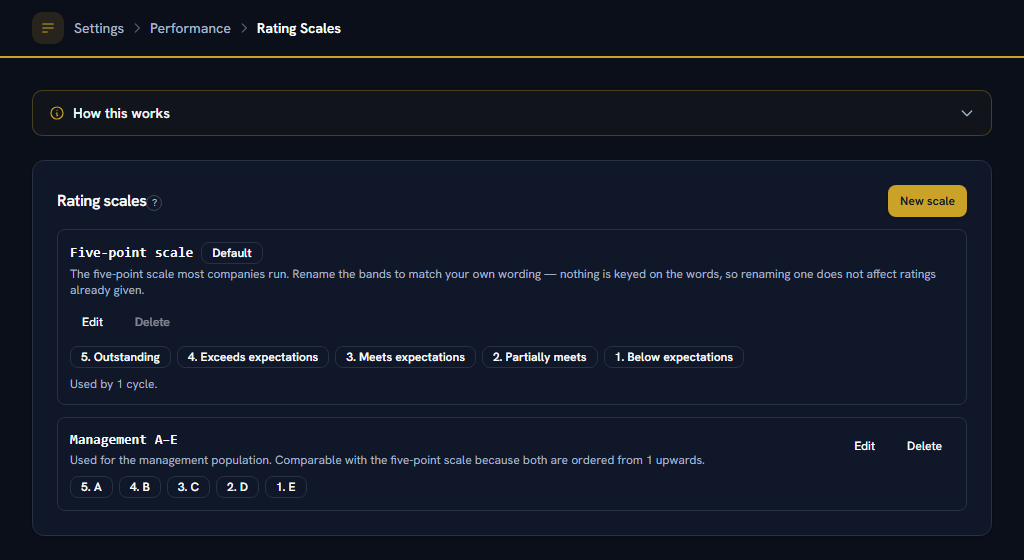
Two things about it are the opposite of what people assume, and both are worth the two minutes:
Renaming a band is safe
Facto reads a band's POSITION and never its name, so changing "Exceeds" to "Above expectations" half-way through the year does not affect a single rating already given.
A scale a finalised cycle used is frozen
every rating in that cycle is displayed by reading the scale, so editing a band afterwards would restate an appraisal somebody has already signed.
The second one has a straightforward answer: to change how you rate, create a new scale and point the next cycle at it. The old ratings stay readable, and the two remain comparable — because both are numbered from 1 upwards, and that number is what a distribution is cut against.
⚠ You can run more than one scale at a time. A 1–5 for staff and an A–E for management is a normal shape, and they still produce one comparable distribution.
Give each band a line saying what it means. Raters read it in the picker, and it is the cheapest thing you can do to stop "Meets expectations" being treated as a warning.
Permissions#
Nobody can score or calibrate anything until you grant the permissions under Settings → Roles. By default every employee can:
- read and write their own objectives and goals,
- read their own appraisal, and
- respond to a survey they are invited to.
⚠ Everything else goes to nobody, deliberately — including reading a team's scorecards. Being somebody's manager in the org chart and being entitled to read their objectives are separate facts, and this is where you decide the second.
Rate and Calibrate are separate permissions on purpose. Rating a report is a manager's job; calibrating is a committee's, and it is the verb that can move a rating away from what somebody's own manager decided.
Part 2Building a scorecard
ForManagers, HR, EveryoneSections0Read3 min
WhereHRM›Objectives & Goals
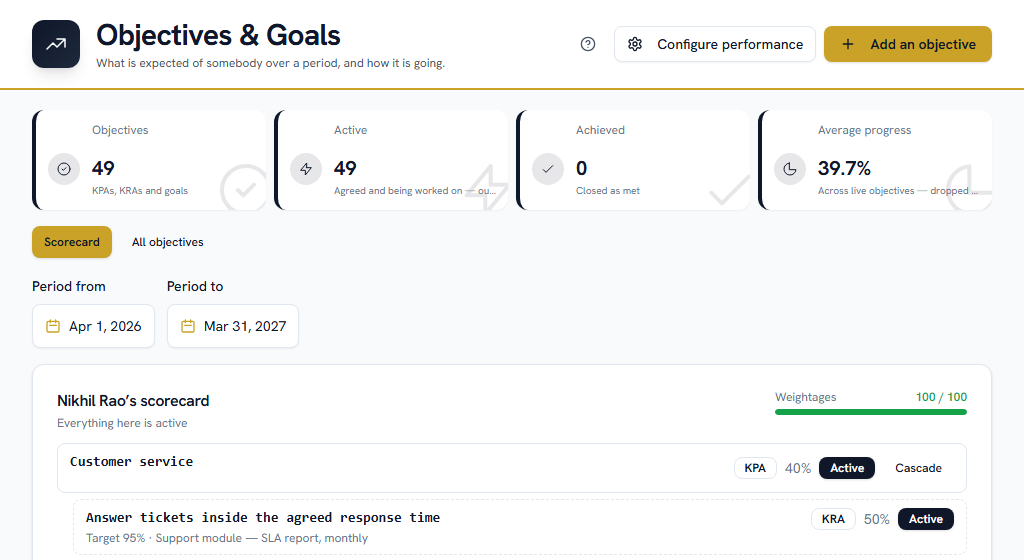
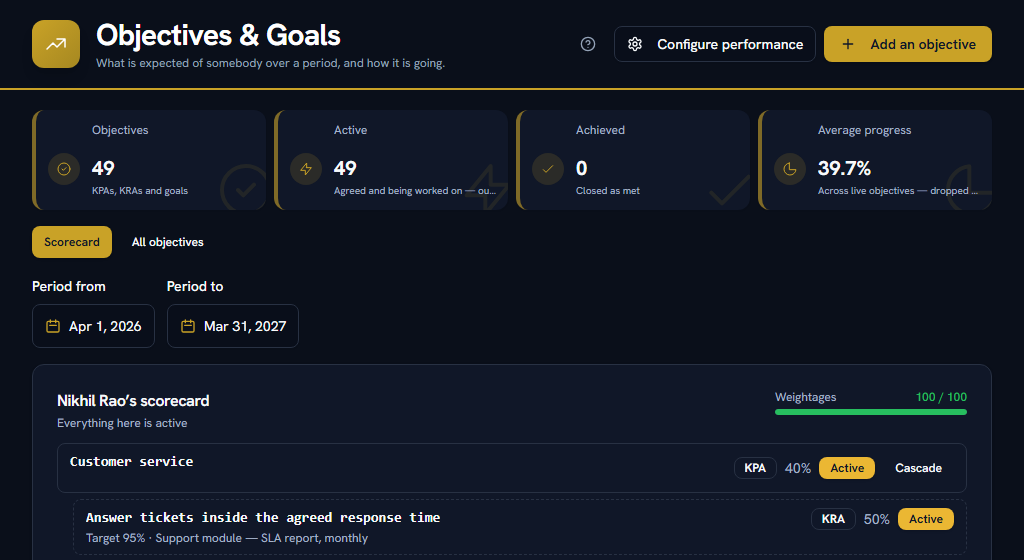
Pick the person and the period at the top. The default period is the current financial year, April to March.
The three kinds#
| Kind | What it is | Carries a weightage? |
|---|---|---|
| Key performance area | A broad part of the job — "Customer service", "Cost control" | Usually yes |
| Key result area | A measurable result inside an area — "95% of tickets inside SLA" | Optional |
| Goal | A time-bound objective, usually personal | Optional |
A key result area sits under a key performance area on the same person's scorecard, covering the same period. That is the only hierarchy there is, and it is one level deep on purpose: a scorecard nested deeper than that cannot be weighted in a way anybody can read.
The shares#
Every group of objectives that carries weightages has to total 100 — the top-level areas as one group, and each area's result areas as another.
⚠ They are checked when you press Activate, not as you type. You are part-way to 100 for most of the time you are building a scorecard, and a rule enforced on every keystroke is one people work around by entering nonsense and fixing it later. The meter at the top of the scorecard shows the running total; when Activate refuses, it tells you what your weightages total and by how much they are out.
Leave every weightage blank and the scorecard is unweighted. That is a legitimate way to run it, and nothing will complain.
Cascading to a team#
If you manage other people's scorecards, an area or a goal can be copied to them in one action.
⚠ Each person gets an INDEPENDENT COPY. Editing yours afterwards does not change theirs. That is a decision rather than a limitation: a live link would mean changing your target silently restated an objective somebody had already been scored on.
The honest cost is stated rather than hidden — there is no rolled-up total across the copies, so "how is the team tracking against my objective" is answered by looking at them.
Two more things the screen does for you:
- Anybody who already holds a copy for that period is skipped, and named, with the reason. Cascading twice is normal — you cascade in April, hire somebody in June, and cascade again — and a silent 6-of-9 would be a truncation nobody could see.
- Every copy lands as a draft, so whoever owns that scorecard activates it once the weightages on it add up. Dropping an active objective onto somebody without their manager looking at the shares is how a scorecard ends up totalling 180.
Objective deadlines and the calendar#
An objective can carry a due date. ⚠ It is not drawn on the HRM calendar, and that is deliberate: somebody's scorecard is not the company's diary, and a hundred objectives with due dates would bury the layers on that grid that matter. Appraisal cycle deadlines are drawn, because they are company-wide dates everybody in the cycle has to act on.
Job moves and transfers#
A move — a promotion, a lateral move, a rotation, a restructure, or one the employee asked for — is recorded on their own record, under their designation history. It is a new row with the date it takes effect and the department it moves them to, never an edit of the last one, so "was she in Operations in April?" stays answerable.
⚠ There is deliberately no separate transfers register. Two effective-dated histories of the same fact would eventually disagree about who was where, which is exactly what the designation history was built to end.
Part 3Running an appraisal cycle
ForHR, the calibration committeeSections0Read3 min
WhereHRM›Appraisal Cycles
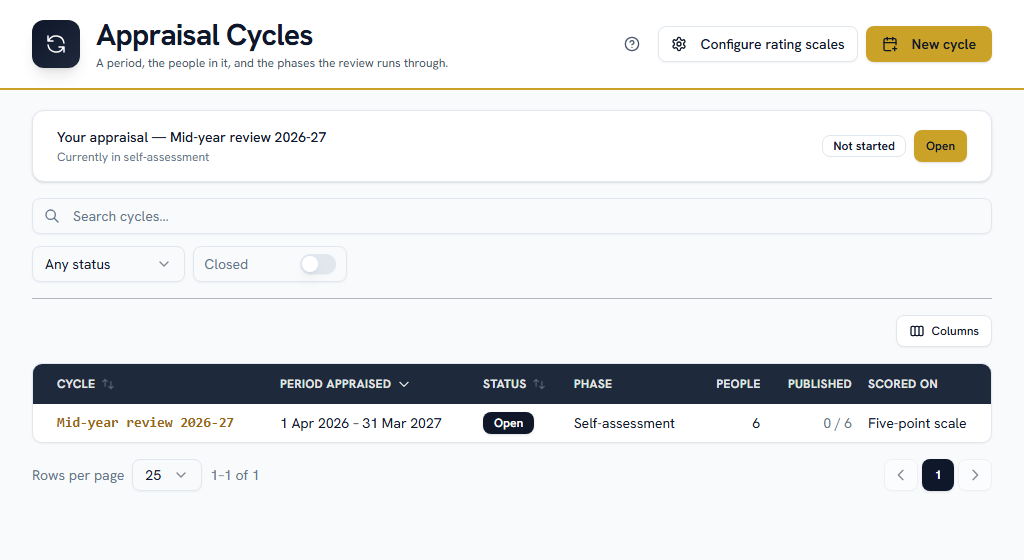
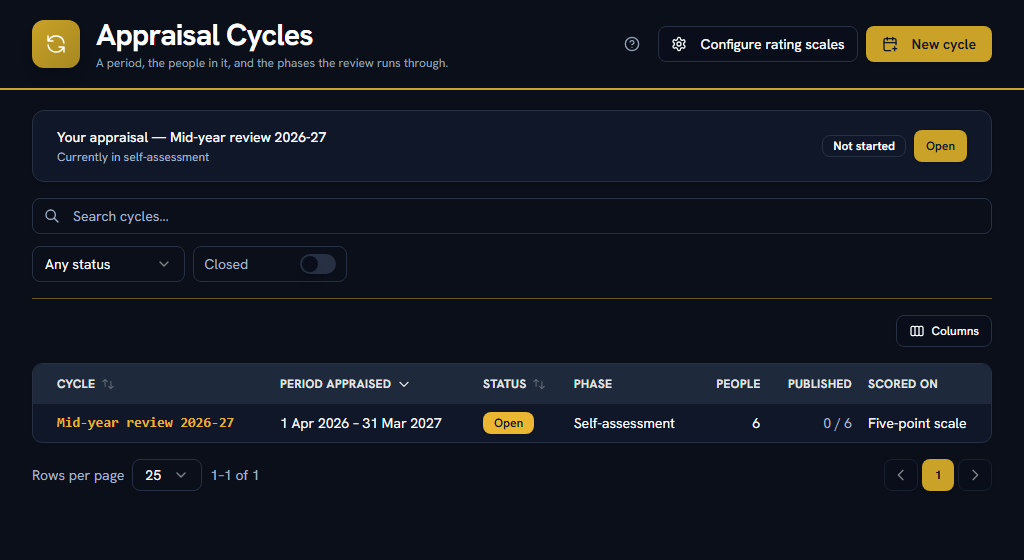
A cycle is one review: a period being appraised, the people in it, and the phases the review runs through.
Setting one up#
⚠ The period and the phase windows are different things. The period is what is being appraised; the windows are when the appraisal runs. A January review of last year is the ordinary case, and confusing the two would put every deadline in the wrong year.
Untick any phase your company does not run. A cycle with no self-assessment, or none with a calibration committee, is a normal shape — the cycle then moves straight from one phase you kept to the next.
Opening it#
Opening the cycle is the moment three things are fixed:
- Who is in it. Somebody who joins afterwards is not added.
- Who scores each of them. Read live, a reorganisation half-way through would hand somebody's half-finished appraisal to a manager who never saw the objectives.
- What each of them is scored on — every active objective whose period overlaps the cycle's, copied onto the appraisal with its title, target and share as they read at that moment.
That third one is why a draft scorecard is skipped: its weightages do not add up yet, and scoring against it would produce an overall nobody can defend.
Opening also notifies every participant, with their self-assessment deadline.
The four phases#
| Phase | What happens |
|---|---|
| Self-assessment | Everybody in the cycle scores their own objectives and says why |
| Manager rating | Each manager scores their reports against the same objectives |
| Calibration | The committee sees the distribution and adjusts. Every move is recorded |
| Final | Ratings are published to the people they are about |
⚠ A phase with people still outstanding can be closed. The screen tells you how many have not finished and lets you move on anyway, because in practice a cycle where four people out of two hundred never submitted still has to finish — and a system that refused would be worked around by somebody entering placeholder scores. Those people stay where they are, and their manager rates them on what is there.
Calibration#
⚠ Calibration advises. It never forces a curve. The screen shows the live distribution beside the ratings and the committee adjusts freely — there is no target spread, nothing to fit, and the cycle closes whatever shape it is.
A mandated bell curve was considered and rejected. It is increasingly litigated, and a system that cannot close a cycle until the numbers match gets worked around by mis-rating people — which is worse than the distribution it was trying to prevent. Reporting the spread gets the same conversation without the coercion.
What makes that safe is the record. Every adjustment is stored with who made it, what it moved from and to, and why — and the reason is required, so there will always be one. The manager's original rating stays beside the calibrated one, because "my manager rated me Exceeds and it came out Meets" is a conversation that happens and the data should support it rather than leaving both of them arguing from memory.
The distribution also says how many people have not been rated yet, because a spread over 40 of 200 looks exactly like a spread over 200.
Finalise and publish#
One action does both: everybody in the cycle is told their appraisal is ready to read, and the rating scale is frozen.
⚠ Nobody is told their rating before this. A rating can still move at calibration, and telling somebody a number that then changed would mean telling them twice with the first one wrong. It is refused while anything is still uncalibrated.
Part 4What everybody else does
ForEveryoneSections0Read2 min
WhereHRM›Objectives & Goals, HRM›Appraisal Cycles
Write your own goals#
Every role can, by default. A goal is simply what you are trying to do and how you will know it happened — a title, a target, and a way of measuring it. Record progress against it as you go.
Your self-assessment#
When a cycle opens you are notified, with the date it closes. Open your appraisal from that notification and score yourself against each objective, saying why.
⚠ It is saved as you type, on your own device, so a long form survives a closed tab. It is deliberately not saved on the server — a half-finished self-assessment stored there is one your manager could read, and "what I nearly said about myself" is not something Facto should hold. It is cleared once you submit.
What you write is what your manager reads first, which is the reason to write it.
Your rating#
You find out when the whole cycle is finalised, and you are notified. What you then see is everything: the objectives you were scored on, what your manager wrote, your result, and — if the committee moved it — who moved it and the reason they gave.
What appears on the calendar#
The HRM calendar draws each cycle's phase deadlines. ⚠ It shows the cycle, never anybody's result: a deadline is an event, a rating is not, and that grid is shared.
Two other things joined it at the same time, and one of them deliberately says almost nothing:
- Asset returns — when something lent to somebody is due back.
- Response deadlines — that an answer to a show-cause notice is due on a day, and nothing else. ⚠ No name, no case reference, no reason. A conduct matter on a grid people share with their team is exactly what the disciplinary module's visibility rules exist to prevent, so the layer carries a date and a link, and whoever may open the record reads it there.
Part 5Surveys and 360° feedback
ForAdmin, HR, Managers, EveryoneSections0Read4 min
WhereHRM›Surveys & Feedback
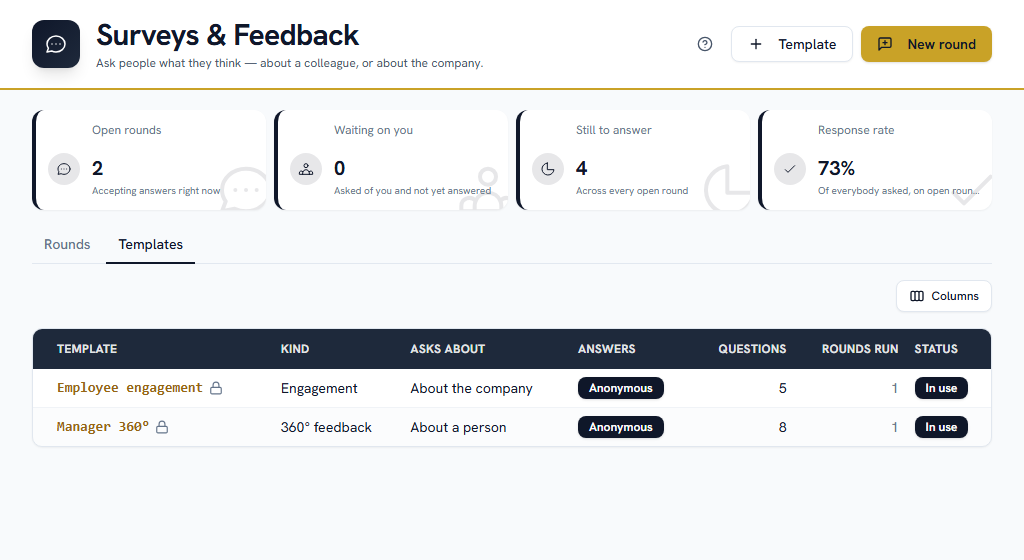
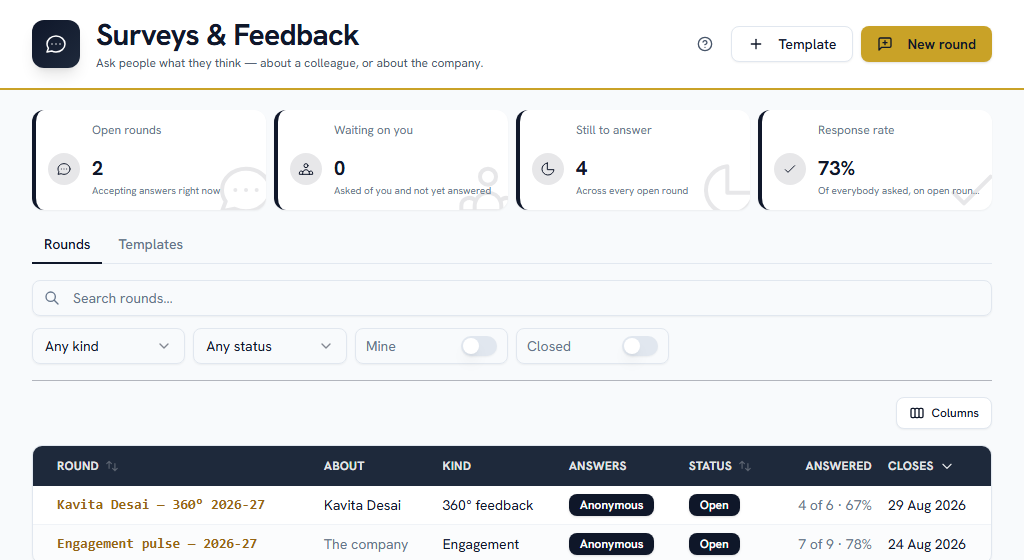
A survey asks people what they think — about a colleague, or about the place they work. A 360 collects feedback about one person from the people around them: their manager, their peers, the people who report to them. A company-wide round asks everybody the same questions about the company.
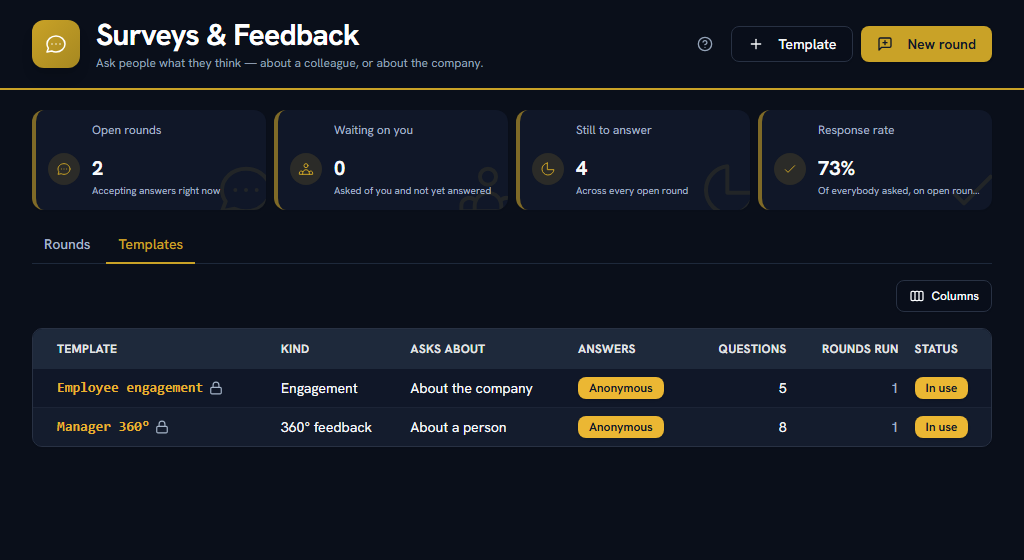
Both are built out of the same two things: a template holding the questions, and a round that asks a named set of people those questions before a closing date.
Build a template first#
A template is the question set. Each question is answered by a rating out of five, a free-text box, or a pick from a list — and a rating question can carry a theme.
⚠ The theme is the field people skip and the one that decides whether the exercise is worth anything. The subject reads their feedback grouped by theme — "Communication 4.1, Ownership 3.4" — which is something they can act on. A template with no themes produces one overall number, which is not.
Two settings on the template matter more than the rest:
Anonymous
no name is stored against an answer at all. There is no column holding it, so no report, export or query can reconstruct who said what.
Hide results below
how many answers are needed before any result is shown. Five by default, because in a team of four, three answers can be worked out by elimination.
⚠ Employee satisfaction and engagement surveys are always anonymous and the switch is fixed. They ask people what they think of the place that pays them, and a named answer to that is not an answer.
Open a round and choose who to ask#
A round points at a template, names who it is about, and sets a closing date. Then you choose the people to ask — and for each one, how they know the subject: their manager, a peer, somebody who reports to them.
⚠ That last part is what makes a 360 a 360. "Your reports scored Communication 4.1 and your peers 3.2" is the single most useful thing the exercise produces, and a round where everybody is marked "peer" produces one undifferentiated average nobody can act on.
⚠ There is no "ask everyone who reports to them" button, deliberately. A 360 whose respondents the system chose is one whose answers nobody trusts — and on a small team the automatic set is exactly the set that makes an anonymous round identifiable.
Everybody chosen is notified straight away, and again three days before the round closes if they have not answered. You can add more people to an open round without resetting anybody who has already replied.
Anonymity, and how it actually works#
This is the part people quite reasonably do not believe, so it is worth being precise.
On an anonymous round Facto stores two separate things: the invitation, which says this person was asked and has replied, and the answers, which say what was said. Nothing joins them. There is no hidden column, no encrypted field, no permission that would reveal it — the link does not exist to be revealed.
That is why the list of who was asked can be shown to whoever is running the round without giving anything away, and it is why a round's anonymity cannot be changed once it has opened. Turning it off afterwards would mean attaching names to answers given on the understanding that there would be none, and there is no honest way to do that.
Reading the results#
Results stay hidden until the floor is met, and the screen says how many more answers are needed. Below it, nothing is shown — not the averages, not the comments, not a partial chart. That is the second half of the anonymity rather than a loading state.
The same floor applies per group: a breakdown by "manager" or "peers" only appears where that group cleared it, because a group of one identifies its author exactly.
The subject reads
scores by theme, scores per rating question, and how many people answered.
Their manager and HR read
all of that, plus every written comment, attributed where the round was not anonymous.
⚠ The person a 360 is about never reads the written comments. It looks like withholding and it is the reason the exercise produces anything worth reading: if people believe the subject will read their sentences, most write nothing useful — and a 360 that comes back full of platitudes has cost everybody an afternoon and taught the subject nothing. Passing on what matters, in your own words and in a conversation, is the job the manager's view exists for.
⚠ A survey round is deliberately NOT on the HRM calendar. It is answered in five minutes from a notification, and putting every round on a grid twenty layers already share would be noise. The chaser does that job instead.
Part 6Improvement plans
ForAdmin, HR, Managers, EveryoneSections0Read3 min
WhereHRM›Improvement Plans
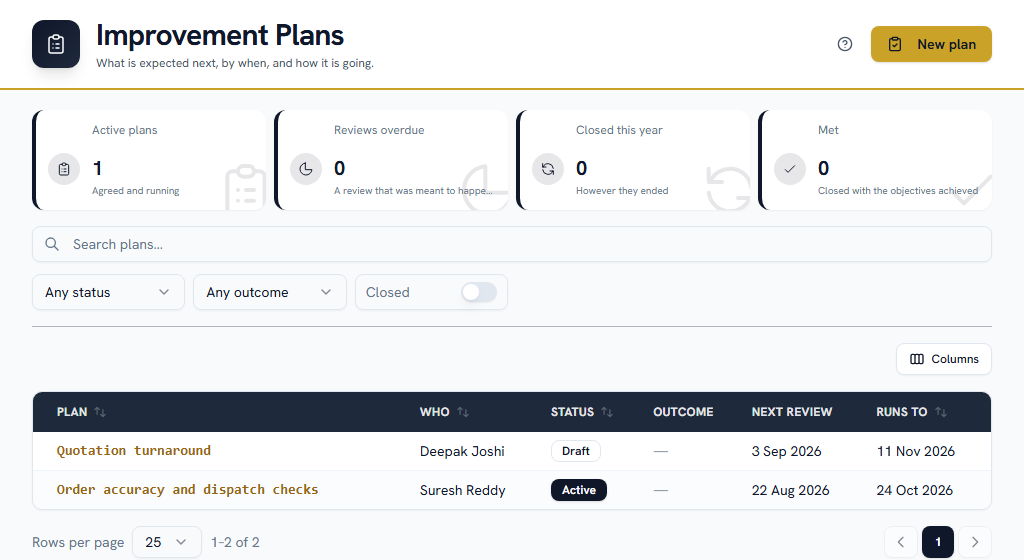
A plan says what is not being met, what would put it right, by when, and when the two people involved will sit down and look at how it is going.
The thing to understand before anything else#
An improvement plan is about capability
somebody is trying and not yet succeeding, and the plan is the support and the time to change that.
A disciplinary case is about conduct
somebody did something they should not have, and the process is an allegation, an answer and a decision.
⚠ They are two different records in Facto and they never merge. The distinction is legal rather than tidy: they have different standards of proof, different procedures and different consequences at a tribunal, and a company that files one as the other has a problem the app should not have helped create. Disciplinary Records is the other one.
Opening a plan#
A plan needs a person, a title, a date it runs to, and — the field it lives or dies on — what is not being met.
⚠ Write that properly. A plan whose reason reads "performance" is one the person on it cannot answer and nobody reviewing it later can read. Say what was expected and what has been happening, specifically enough that both of you would recognise it. Facto refuses a reason shorter than a sentence.
You can open a plan from a published appraisal rating, or on its own — a manager who can see a problem in month two should not have to wait for a cycle, and a company that runs no appraisal cycle at all still manages under-performance.
A plan is a draft until you start it. That gap is on purpose: a plan is agreed in a conversation first, and drafting one is not the same as putting somebody on it.
Review dates are part of the plan#
A plan comes with three review dates already suggested, three weeks apart. Change them, add to them, remove them — but do not leave none, because a plan with no reviews is a deadline with a gap in front of it.
Each one appears on the HRM calendar, and both the person on the plan and the manager running it are reminded three days before. ⚠ They are reminded again if a review is missed — a review nobody held is the one way a plan goes wrong in silence, and in a process where silence favours nobody.
The calendar draws that a review is due and nothing else. No assessment, no outcome, no name beyond the plan's own title to the two people who can see it.
What has to change#
The objectives on a plan are ordinary objectives on that person's scorecard, attached to it. Progress recorded in one place shows in the other, and the plan is made of measurable things rather than a paragraph of intentions.
Closing it#
Record how it ended — met, partly met, not met, or withdrawn.
⚠ "Withdrawn" is not padding. Use it when somebody resigned, changed role, or when on reflection the target turned out to be the wrong one. Without it those plans close as "not met", which records a finding against somebody that nobody actually made and which will be read back years later as one.
⚠ Nothing follows from "not met" automatically. Facto opens no case, sends no letter and suggests no next step. What follows an unsuccessful plan is a judgement for a person to make, in a conversation, with HR — and the record of that decision belongs wherever it is taken.
Who can see a plan#
The person on it, the manager named on it, and anybody an administrator has given Performance → Improvement Plans → Manage — normally HR. Nobody else, and it is on no shared list.
Part 7Somebody's whole story here
ForAdmin, HRSections0Read1 min
WhereUsers›open a person›Details
Every person's record now carries a dated timeline of their time at the company: joining, probation, confirmation, job moves, pay revisions, published appraisals, improvement plans, conduct records and their exit.
None of it is new data. All nine were already recorded in the places you record them — this simply draws them on one column, newest first, which is what makes questions like "when did she last get a raise, and what was she rated either side of it" answerable without opening four screens.
⚠ Each kind of entry is shown according to the permissions of the module that owns it, not this one. Pay revisions need payroll permissions, conduct records need disciplinary ones, and a performance permission opens neither.
⚠ What you are not allowed to see is named rather than silently dropped, because a timeline that quietly omitted three pay revisions would read as a complete history and you would act on it. The one exception is conduct records: the timeline says such entries exist without saying how many, because for most people the count is zero and a number would say something specific about somebody on a screen their permissions were never meant to reach.
Job moves and why they read properly now#
A job move — a promotion, a lateral move, a rotation, a restructure, or a move somebody asked for — carries its reason on the designation history you already had, rather than in a second place that would eventually disagree with it.
⚠ Rows recorded before the reason existed simply have none. Inventing one for them would be fabricating a decision nobody took.