Workplace
What the company lent people, and getting it back.
HRM guide 5 of 7 · 25 min · 7 screenshots · updated 19 Aug 2026
- For
- Admin, IT, HR, Everyone
- Use
- Setup + everyday
- Needs
- Your people added
Covers the two records your company keeps about a person: Employee Assets — what you lend people, who is holding each thing and what came back — and Disciplinary Records — what was raised with somebody, the chance they were given to answer it, and what was decided.
Both depend on nothing except having added your people, so you can set either up on its own. If you have not done that yet, do HRM — start here first.
Section 01What Employee Assets is for#
Every company hands things to its staff — a laptop, a phone, a set of keys, a uniform, a vehicle — and almost none of them writes it down anywhere a second person can read. The cost shows up at the end: somebody leaves, four departments are chased for a no-dues clearance, and the one about IT equipment is answered from memory.
Facto tracks custody, not ownership. It records what a person is holding, not what the company owns. There are no purchase orders here, no vendors, no depreciation and no fixed-asset register — those are an accounting system's job, and adding them would make this a second product.
OpenEmployee Assets
Part 1One-time setup
ForAdmin, ITSections0Read3 minNeedsYour people added
WhereSettings›HRM›Employee Assets
OpenAsset TypesAsset Approvals
Asset Types#
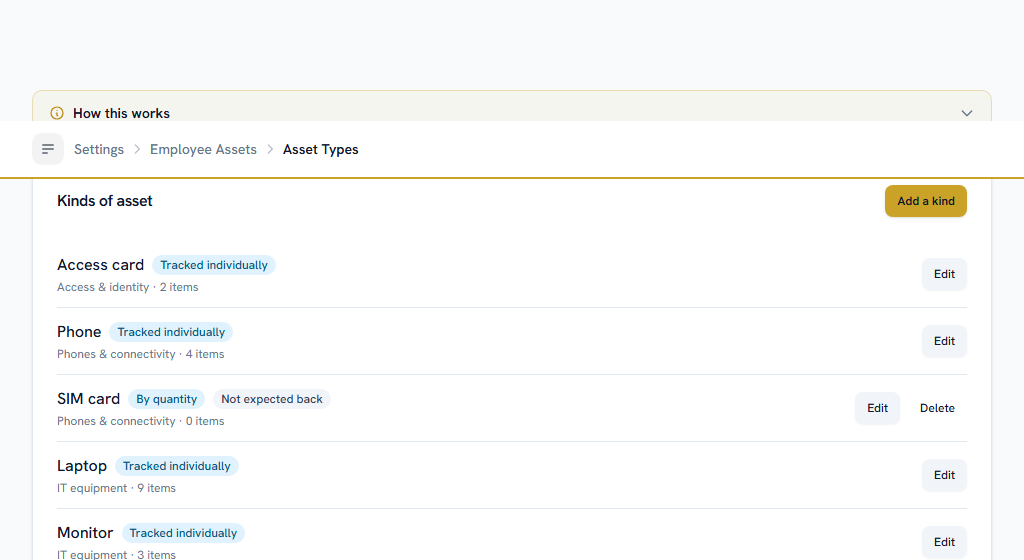
Start by saying what kinds of thing you lend. A kind is Laptop, Phone, Vehicle, Uniform — not an individual laptop.
One question on this screen is worth two minutes, because it cannot be changed afterwards:
Tracked one item at a time
each physical unit gets its own row, its own tag and its own serial number, and at most one holder. A laptop, a phone, a vehicle.
Issued by quantity
no individual units and no tags at all. You issue three of them to somebody and that is the record. Uniforms, SIM cards, stationery.
⚠ This is frozen once anything exists under the kind. Changing it would either strand the serial numbers already recorded or invent serial numbers for things that have none, so Facto refuses — and tells you how many items are already under it. If you get it wrong, create a new kind.
The other switch worth setting is expected back. Turn it off for anything you do not want returned — a uniform, a SIM card. Those never appear as overdue, and a leaver is never chased for one.
Everything else on the kind is optional. The typical useful life is informational only: nothing depreciates it, and it is there for a human deciding whether a four-year-old laptop is worth pursuing.
Asset Approvals#
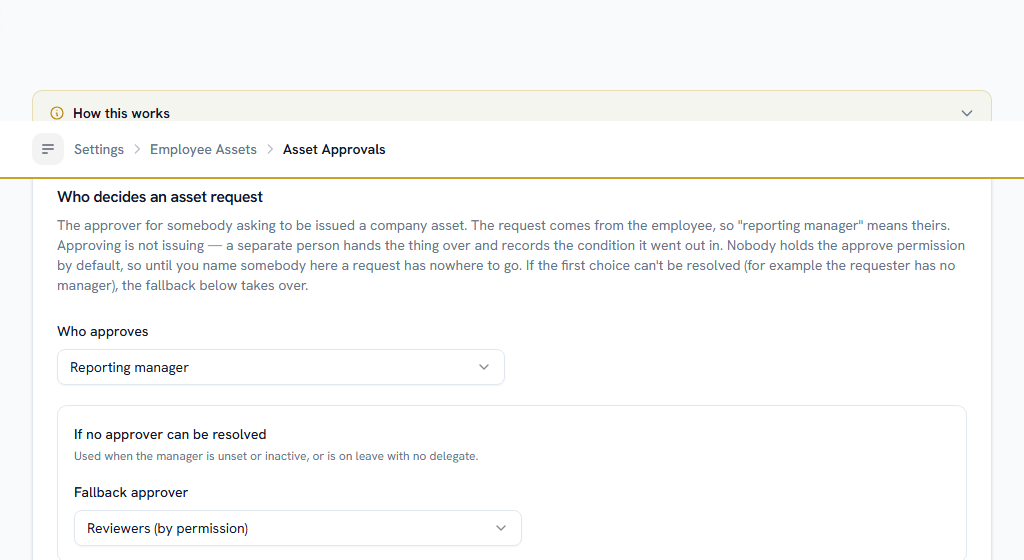
Choose who decides whether somebody may be issued the thing they asked for.
⚠ Nobody holds the approve permission by default, deliberately. Until an administrator grants it under Settings → Roles and names an approver here, a request raised by an employee has nowhere to go. Two things this screen does not do, and both are worth reading:
- Approving is not issuing. An approved request says somebody may have a laptop. A separate person hands one over, records the condition it went out in, and the request is marked as issued at that point.
- Nothing here recovers money. If an asset is not returned or comes back damaged, what is recovered, the legal ceiling on it and the instalments are all decided by whoever manages payroll deductions — under Salary → Run payroll → Fines & recoveries.
Filling the register#
Nobody types 400 laptops by hand. If your register is already in a spreadsheet — and it usually is — import it: the sheet takes the kind, the tag, the serial number, the make and model, what it cost and where it lives.
The import brings in the register, not the handovers. Who is holding what is recorded by issuing it, once, in the app — that is where the condition at handover and the signed note are captured, and a spreadsheet can supply neither.
Who can see what#
Five permissions, and the split matters:
- View Own — what this person is holding. Every employee has it by default.
- View All — the whole register. Never granted by default: it is every serial number and every purchase price in the company.
- Issue and Receive — handing things out and signing them back in. Separate on purpose: they are different desks in most companies, and the return is the half that carries a condition judgement.
- Manage — creating and retiring assets and kinds.
- Propose Recovery — saying an item did not come back and should be recovered for. Proposing is not deducting.
Part 2Everyday use
ForIT, HR, EveryoneSections0Read8 minNeedsYour asset kinds set up
OpenEmployee Assets
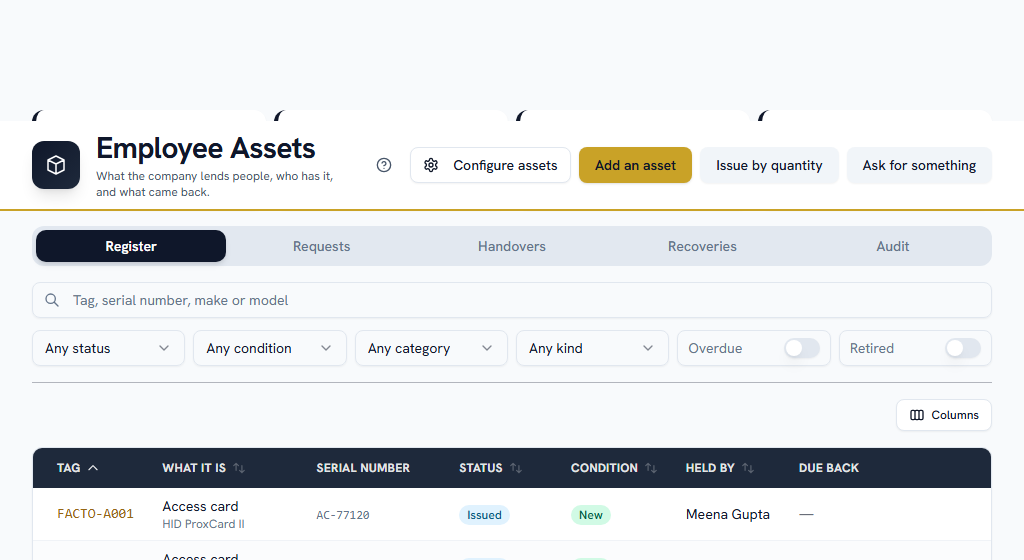
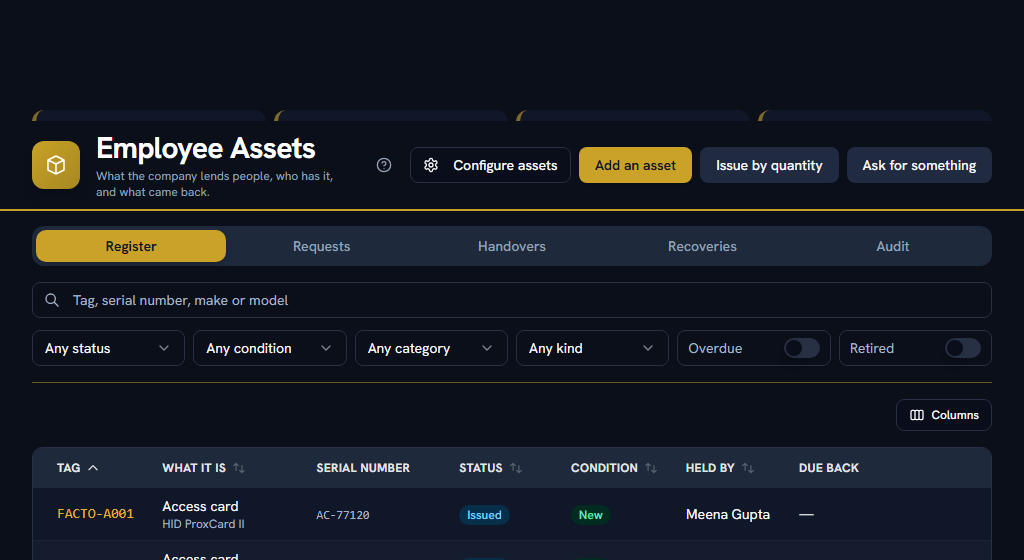
The five views#
Register is everything the company has, with its condition and who is holding it. Written-off and lost items are hidden until you ask for them — a register that counted them would report a fleet you do not have.
Requests is people asking for something. Each one names a kind and a reason, and is decided in the approvals queue rather than on this screen.
Handovers is every time something went out and came back — who had it, when, and what condition it was in at each end. This is what answers "who had this laptop in March" after it has moved twice.
Recoveries is what did not come back, and what the company means to do about it.
Audit groups the whole register five ways, with a valuation and two downloads.
Asking for something#
Press Ask for something, pick the kind, and say why you need it. The reason is the whole of what an approver decides on, so a sentence about the work it is for beats a word.
You are told either way. If it is approved, whoever runs the store hands one over separately.
Issuing#
Open the item on the register and press Issue it. You name the person, the date, and — the field that matters most — the condition it went out in.
That last one is half of what any later conversation about damage rests on. Without it, "it came back scratched" is one person's word against another's. It defaults to whatever the register already says, so the usual case is one tap.
Set an expected back date if there is one. If you do, the holder is reminded once a day after it passes, and after a week their manager is told as well.
Two things happen automatically: the person is told what they now have, and a signed handover note is filed in the document library against that handover. The note is worded as custody rather than as a debt — a signature months earlier cannot stand in for the assessment the law requires at the time.
Moving something from one person to another#
Take it back from the first person, then issue it to the second.
There is deliberately no transfer button. Recording it as one act would overwrite who had it and in what state, and "who had this in March" would stop being answerable. The two steps leave two rows on Handovers, in order.
Taking it back#
Press Take it back on the item, or on its row under Handovers. Record the date, the condition it came back in, and where it goes next — back on the shelf, into the workshop, written off, or not returned.
⚠ Recording a loss or damage deducts nothing from anybody. It records what came back and what state it was in, and that is all. Recovering the cost from somebody's wages is a separate decision taken by a payroll user, and the law requires the damage to be assessed and the person given a chance to explain before any of it is taken. Neither of those is something this screen performs.
Recovering the cost#
OpenRecoveries
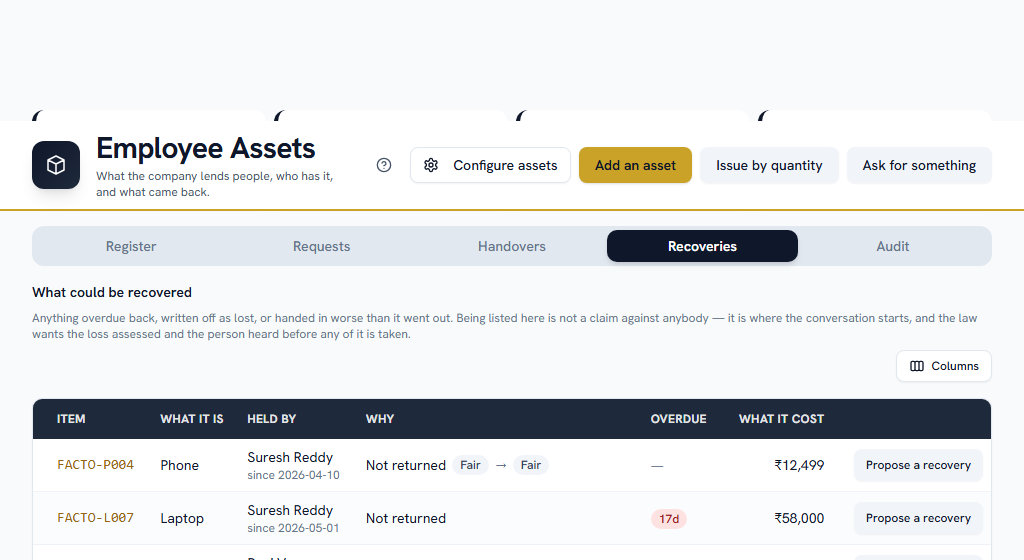
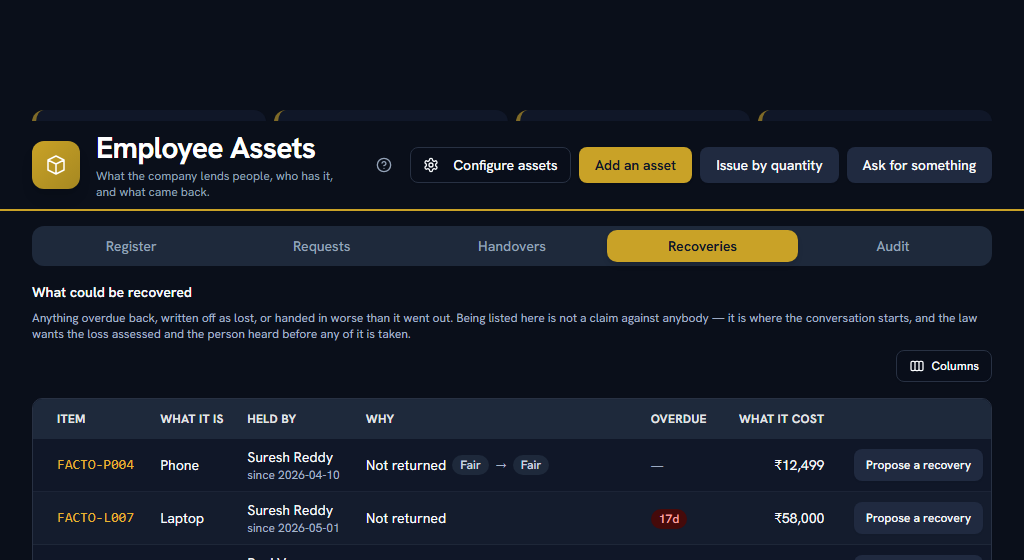
The Recoveries tab is in two halves, one behind each of its two sub-tabs. Each is a full list: search it, narrow it by why it is there, by category or by kind, sort it by any column with an arrow on it, and page through it.
What could be recovered is a worklist: anything overdue back, written off as lost, or handed in worse than it went out. It is built from the record rather than from anybody typing a reason, so an item the register says came back in good order cannot appear on it at all. Being on the list is not a claim against anybody — it is where the conversation starts.
Proposed recoveries is what has been claimed, with what has actually come out of a payslip so far. It shows what is still owed by default; the Open switch in the filters brings back the ones already recovered, waived or lapsed, and picking a state from the list beside it overrides the switch.
Press Propose a recovery on a row. You are asked for:
- the amount — pre-filled with what the thing cost, and never allowed to exceed it. A misplaced decimal point is refused here rather than argued back down from somebody's payslip.
- the loss assessed at — the ceiling the law puts on the whole recovery. ⚠ Leave it blank and no ceiling applies at all, because Facto will not enforce a figure nobody has stood behind.
- what happened, in words. This is what the person is answering and what the register shows. "Asset recovery" is not an answer.
- the date they were given a chance to explain. Offered, never required — Facto cannot know whether a conversation happened, and a form that refused to record a real loss would move the record out of the app.
⚠ Proposing is not deducting, and that is mechanical rather than a promise. The proposal creates a record under Salary → Run payroll → Fines & recoveries and stops there. Nothing reaches a payslip until somebody with the payroll-deductions permission spreads it over months — a different permission held by a different person, because the desk that knows a laptop is missing is not the desk that decides what somebody is paid. If you hold both, the propose form offers the instalments as well.
One claim per handover. A second is refused, naming the first: two claims for one laptop are two amounts nobody can reconcile, and they arrive months apart from two different people. Amend the first one in payroll instead.
Why an unreturned laptop is recorded as a "loss"#
The obvious answer is the wrong one here, and it is worth a paragraph.
An item you entrusted to somebody and did not get back is, in law, loss of goods entrusted for custody — not a generic recovery. That matters because the loss characterisation is what brings two protections with it: the recovery is capped at the loss actually assessed against the person, and the person has to be given a chance to explain first. Both of those should apply when a company is taking money off somebody for a laptop, so that is the record Facto creates.
The one case treated differently is an item the employee agreed to pay for — buying the uniform, keeping the handset. Nothing was damaged, so there is no assessment to cap it and nothing to show cause against, and it can be collected over up to thirty-six months. Tick an agreed charge on the propose form.
The audit#
OpenAudit
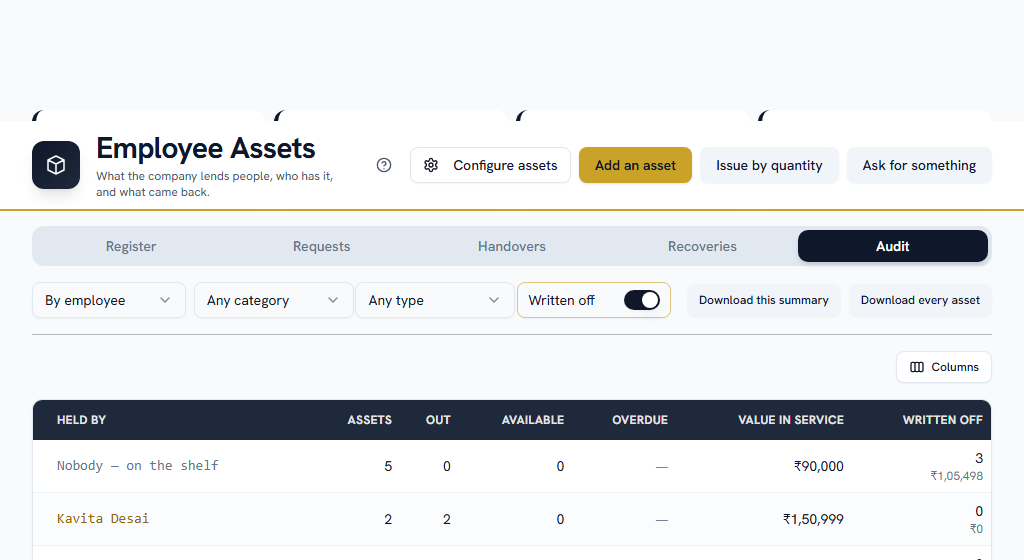
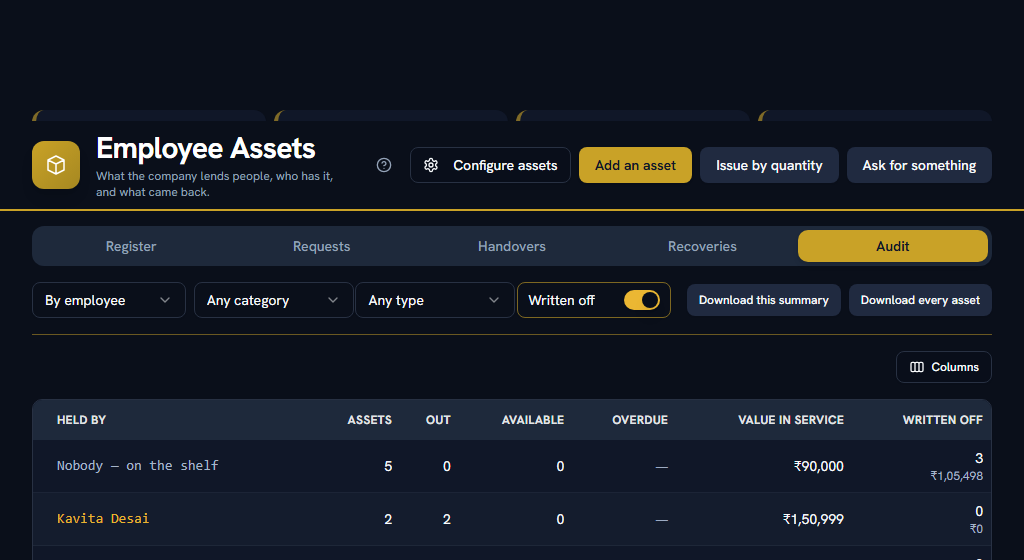
Groups the whole register five ways — by employee, by department, by category, by asset type and by status — and downloads either of two files.
Search it for the group you want (the person, the department, the kind of thing — or "nobody" for what is sitting on the shelf), narrow it by status, category or kind, sort it by any column with an arrow on it, and page through it.
⚠ The figures under the table are the whole audit, not the page you are on, and they narrow with the filters. Both downloads are the whole audit too, however the screen is paged — a file that stopped where the page did would add up to its own footer and be missing everything after it.
Download this summary is the grouped table you send to whoever asked. Download every asset is one line per item with its tag and serial number, which is what somebody walks around the office with, ticking things off.
Two columns are separate on purpose. Value in service leaves out anything retired or lost, because a valuation that counted written-off kit reports a fleet you do not have. Written off is its own count and its own figure beside it, because that is what an insurance claim asks for.
⚠ Unlike every other list in this module, the audit shows written-off items by default. "We wrote it off" is a claim, and checking claims is what an audit is for. Switch the toggle off to see only what is in service.
Items nobody is holding, and items no department owns, get their own rows rather than being filtered out. That is usually the row you opened the screen to find.
When somebody leaves#
Deactivating an employee now counts what they are holding, and says so before you press the button. Nothing walks out silently.
Nothing is deducted automatically at exit either. Exits & Settlements carries a block above the dates listing what the leaver is still holding, with what each thing cost and how many days overdue it is, and a Propose a recovery button beside each one for whoever holds that permission.
It is a button rather than a sweep for a reason that is practical as much as legal: a laptop "unreturned" on the last working day is very often in a drawer or a courier bag, and a final settlement is the payslip a wrong deduction is hardest to reverse on, because the employment it would have to be corrected through has ended.
Anything already claimed drops out of the proposed total rather than being counted twice. Uniforms and other kinds you marked as not expected back are left off the list entirely — an item nobody can ever clear is how a checklist becomes something people tick without reading.
What the purchase cost is for#
One thing only. If an item is ever lost or damaged, the law caps what can be recovered from wages at the damage actually assessed, and this is where that assessment starts. Facto does not depreciate it and does not carry it into your accounts.
Part 3Disciplinary Records
ForAdmin, HR, Managers, EveryoneSections9Read13 minNeedsYour people added
OpenDisciplinary RecordsSettings
Section 02Disciplinary RecordsWhat Disciplinary Records is for#
Facto could already record a fine: the reason, the act, the date, the chance the person was given to explain, and the money that came out. What it could not record was the same event with any other outcome — and a verbal warning, a written warning, a final warning or a suspension are the overwhelming majority of what actually happens. The one outcome the product supported was the rarest and the most legally constrained.
Three things followed from that, and this module fixes all three:
- A warning was written down nowhere. "Has this been raised with them before?" — the question every disciplinary process turns on — was answered from memory.
- A termination for cause looked like any other exit. Which is exactly the distinction a tribunal asks about.
- A show-cause notice survived only where a fine followed it. If the explanation was accepted and nothing was done, the fact that a proper process had run was lost — so the register could show punishment and never restraint.
⚠ This is not a grievance desk, and the difference is the direction. A grievance is an employee raising something; a disciplinary case is the company acting on an employee. Somebody who wants to raise how they have been treated uses Support → HR Grievance, which is marked confidential and goes to HR rather than to their manager — deliberately, because a grievance is very often about the manager.
⚠ It is also not the place for a POSH complaint. A complaint under the Sexual Harassment of Women at Workplace Act 2013 needs a constituted Internal Committee, statutory timelines and its own confidential register. None of that is here, and running one through this screen would fail requirements the Act imposes rather than merely being untidy.
Who can read a case#
This is the part worth reading before anything else, because it is the whole premise of the module.
A case is readable by:
- the person it concerns — always, and this cannot be switched off. They were served the notice; a record about somebody that they cannot read is one they cannot correct.
- whoever raised it.
- anybody with permission to read every case — normally HR.
- their direct manager, if the case is not marked confidential, and further up their reporting line only if you have set it that way.
Nobody else. Not their colleagues, not their department, and not somebody two levels above them unless you have deliberately chosen that. Anybody opening a case sees a line at the top saying which of those applies to them.
⚠ Note what is deliberately absent: there is no disciplinary tile on the HRM home page, and nothing on the /users screen. A home-page count reading "2 open cases" is visible over somebody's shoulder, and a conduct history has no business on the page somebody opens to change a phone number.
Settings#
WhereSettings›HRM›Disciplinary Records
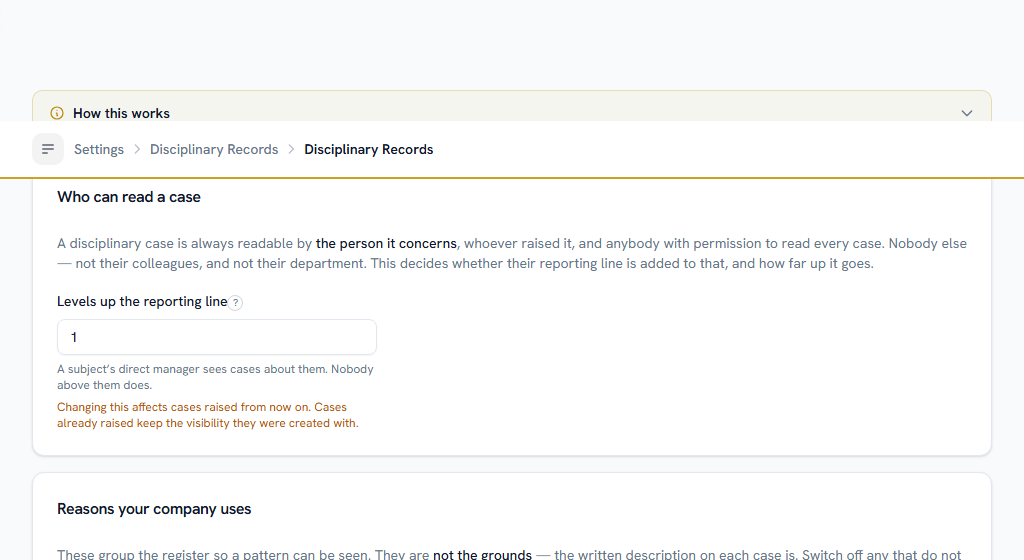
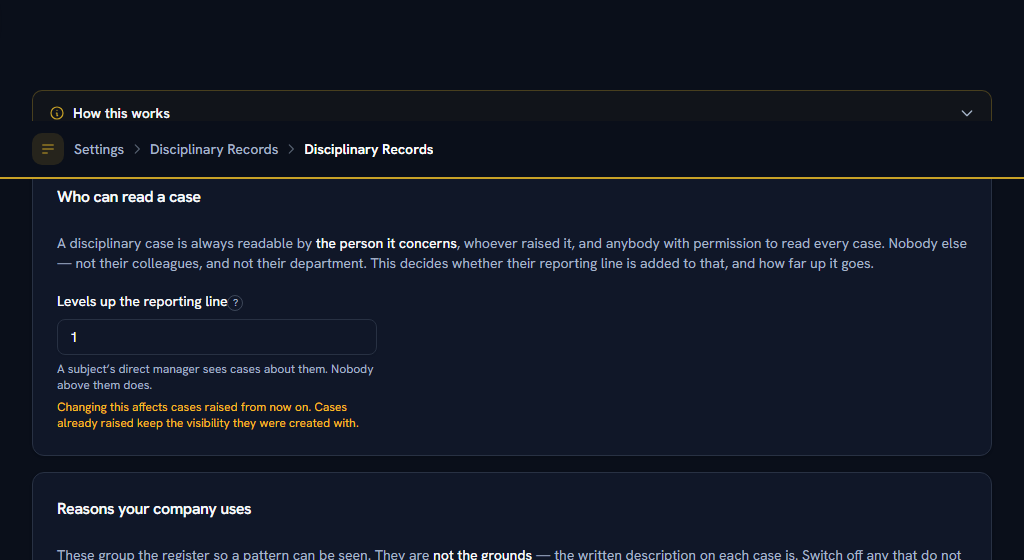
Three things to set, and the first is the one with a consequence.
How far up the reporting line a case is visible. One level — their direct manager and nobody above — is the default. Zero means HR only, which some companies want. ⚠ Changing it applies to cases raised from then on. Cases already raised keep the visibility they were created with, because somebody was told at the time who would see them.
Which reasons your company uses. These group the register so a pattern can be seen. Switch off any that do not apply: a company with no certified standing orders has nothing to charge anybody under breach of a standing order, and offering it produces a case that cannot be defended. Switching one off never changes cases already recorded under it. The last one cannot be switched off — with none in use, no case could be raised at all.
How many days a show-cause notice gives somebody, by default. It can be changed on any individual notice.
Permissions#
Four, and the split is the point:
- View Own — cases about yourself. Every employee has it by default, and that is not a preference.
- View All — every case in the company. Never granted by default: it is the whole conduct history of everybody who works here.
- Raise a case — putting an allegation on somebody's permanent record, and issuing the show-cause notice on it. Never granted by default.
- Decide — recording the outcome. ⚠ This is the authority to decide, not a place in an approval queue: nothing routes here and nobody is asked. It is deliberately separate from Salary → Deductions → Manage, because deciding that somebody breached a safety rule and deciding what comes out of their payslip are different acts by different people.
⚠ Until an administrator grants the last three under Settings → Roles, only an admin can raise or decide anything.
Two more, which live elsewhere and matter here:
- Salary → Deductions → Manage is what lets somebody actually impose the fine a case decides on. Without it you can record the outcome; the money is a separate act.
- Exits → Manage is what lets somebody open the exit a termination calls for. You need it and Decide — one press, both permissions.
Section 03Disciplinary RecordsRaising a case#
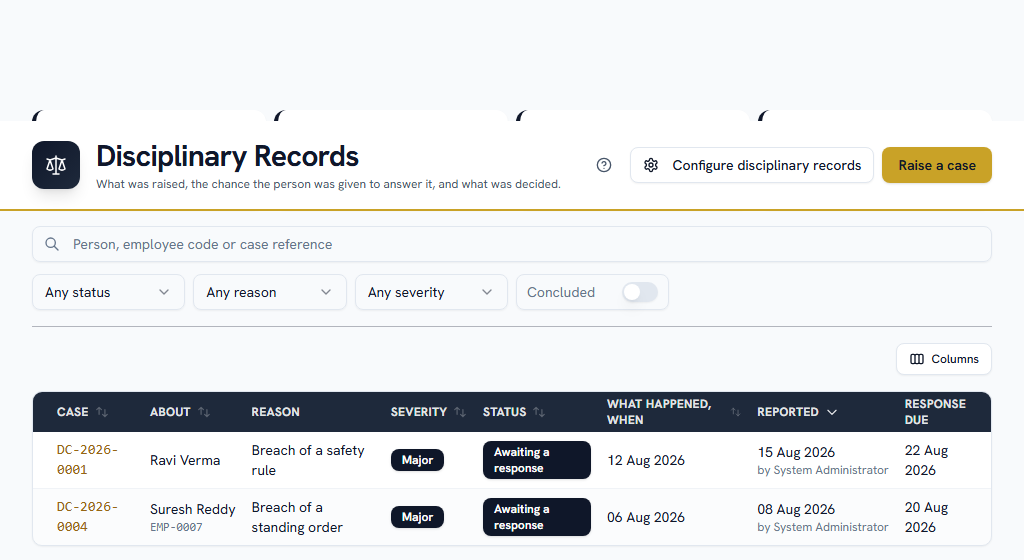
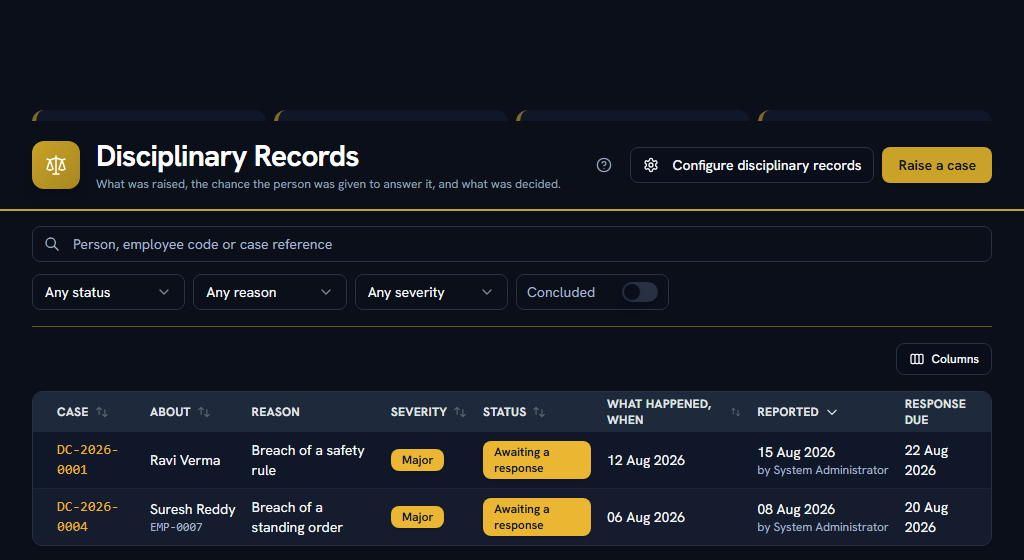
Press Raise a case. You name the person, pick a reason, and write what happened.
⚠ The written description is the field that matters, and Facto insists on a real sentence. The reason code only groups the register. §8(1) of the Payment of Wages Act allows a fine only for acts on the employer's own approved list, displayed at the workplace — Facto cannot hold that list, so the sentence you write is what the record actually rests on. It is what the person will be asked to answer, and what somebody reads back in two years. A case whose grounds are just "misconduct" cannot be defended and cannot be explained.
Two dates, because they are two facts. When the thing happened, and when it reached you. The gap between them is the first thing anybody reviewing a disciplinary process looks at — a matter acted on five weeks late is a different matter from one acted on the next day. The second date cannot be edited afterwards.
Severity is how the register reads and nothing more. It does not pick an outcome, shorten a deadline or change who can see the case.
⚠ Raising a case notifies nobody. The person is told when you issue the show-cause notice, which is the next step and the one the process rests on.
Section 04Disciplinary RecordsThe show-cause notice#
Open the case and press Issue a show-cause notice. This is where the matter is actually put to the person and they are asked to explain, by a date.
⚠ This is the step everything else depends on. §8(3) requires it before any fine, and every standing order requires it before anything worse. It is the only act here that notifies the employee — they are told that a matter has been raised with them formally and by when they must answer, and nothing about what is alleged goes into the notification. That is on the case, which only they, you and HR can read.
The notice is pre-filled with the case's own description so the two say the same thing — a notice restated from memory is how they diverge, and a divergence is the first thing an appeal finds. Edit it to address the person directly.
The deadline is optional. A company that gives somebody "a few days" verbally has still served a notice. ⚠ But with no date, nothing will ever remind you the case is outstanding — the reminder has nothing to count from.
A copy of the notice is produced and filed on the person's record automatically, restricted to them and to whoever can already read the case. Turn that off only if you are serving your own printed form.
One live notice at a time. A second is refused while the first is unanswered: two notices means two deadlines, and somebody who answered one has answered "the notice" as far as they are concerned.
Section 05Disciplinary RecordsRecording the response#
Press Record their response and write what they said.
⚠ Record it whether or not you accept it. A file holding only the company's side reads as a formality, and the answer is what an outcome has to be reasoned against.
If a meeting was held, Record a hearing puts who attended and what came of it on the same timeline. It is optional — many companies decide on the papers, and a case with no hearing is not an incomplete case.
⚠ Nothing on the timeline can be edited once recorded. The question a disciplinary record exists to answer is what was decided, when, and by whom — and an edited entry answers it with today's version wearing an old date.
Section 06Disciplinary RecordsNobody responded#
You are reminded once a day after the date passes — you, not the employee.
Chasing somebody for an answer they may have chosen not to give turns a reminder into pressure, and the person who needs to know the clock ran out is the one who has to decide what happens next. Nothing happens automatically: it is for you to proceed, extend the date, or close the matter.
Section 07Disciplinary RecordsRecording the outcome#
Press Record the outcome and pick one of seven. The screen tells you what each one does before you press anything, because three of them do something outside this module and none of that is guessable from a label.
No action — the finding that the explanation was accepted and nothing follows.
⚠ That is not an escape hatch, it is the point. If somebody explains themselves and you accept it, that has to be recordable — otherwise the register shows only the times people were punished, and the whole process reads as a formality. It is also the outcome that proves due process actually ran.
Verbal warning — spoken to, and the fact recorded. Nothing is served. What the file keeps is that it happened and when, which is what answers "has this been raised with them before?" next time.
Written warning and final warning — a letter, produced and filed on their record. ⚠ The two letters differ in exactly one sentence: a final warning says in terms that a further instance may end the employment, and an ordinary one deliberately does not. Do not use "final" to mean "serious" — an ordinary warning carrying that sentence is a final warning, whatever the heading says.
Suspension — kept away from work between two dates, on full pay or without it. See below; the unpaid version reaches payroll.
Fine — see below. Recording it does not, by itself, take any money.
Termination — see below. It does not, by itself, end the employment.
Every outcome asks why, and that reasoning is what the file keeps: it is what answers "why was that decided?" when somebody reads the case in two years. It is not sent to the employee and it is not in the letter — the letter states the finding. The person is told a decision was taken and what it was, and never the reasoning.
⚠ A decision cannot be edited or taken back. Every other record in Facto has an edit button; this one does not, because the question a disciplinary record exists to answer is what was decided, when, and by whom — and an edited entry answers it with today's version wearing an old date. If the decision changes, that is an appeal.
Suspending somebody without pay#
Give the first day, the last day, and whether it is on full pay.
If it is without pay, Facto stages the days as loss of pay in every payroll month the period touches, and shows you the exact month-by-month split before you press the button. A suspension running 28 September to 3 October stages three days against September and three against October — not six against one of them.
⚠ Loss of pay is not a deduction, and the difference is worth understanding. A deduction comes out of wages that were earned, and the law caps all deductions in a month at half of them. Loss of pay is wages that were never earned, because the person was not at work — so it is not subject to that cap, and putting a suspension through the deductions route would eat half a ceiling it has no business touching. A legitimate fine or a loan instalment in the same month would then be refused or quietly reduced.
⚠ Two things to check afterwards. A loss-of-pay override replaces the month's attendance figure rather than adding to it, so if the person was also absent for other reasons that month, reconcile the two on Salary → Run payroll → Payment days before you run it. And if the suspension is back-dated into a month you have already run, nothing can be staged for it — the case says so plainly, and those days have to be handled as an adjustment in a later month.
The days are counted as calendar days. If your policy pays weekly offs through a suspension, adjust the staged figure on the payment-days review.
Fining somebody#
Recording fine as the outcome records the decision. Taking the money is a second act, and it needs Salary → Deductions → Manage.
⚠ That separation is deliberate. Deciding that somebody breached a safety rule and deciding what comes out of their payslip are different acts by different people in every company big enough to need either. If you hold both permissions, the outcome screen offers an amount field and does both in one press. If you do not, the screen says so — record the outcome, and whoever manages payroll deductions imposes the fine against the same case afterwards.
⚠ The clock runs from the act, not from your decision. A fine lapses ninety days after the thing happened, and it is capped at 3% of the period's wages. So a case sat on for three months produces an outcome that is perfectly recordable and a fine that cannot lawfully be collected — Facto will refuse the money and tell you why.
The fine, once imposed, appears on the case under "What followed from this", with what is still to recover. Spreading, waiving or writing it off is done on Salary → Fines & recoveries.
Terminating somebody#
⚠ This does not end the employment. It records the decision and produces the termination letter.
The exit — the last working day, how much notice was required and served, which payroll month settles it — is a separate record, because none of those is something a conduct decision can decide and every one of them moves money: notice pay, notice recovery, gratuity eligibility, and the two-working-day clock for the final settlement. An exit opened automatically would carry four guesses that look exactly like four checked figures.
So once the outcome is recorded, the case offers to open the exit, and somebody with both Decide and Exits → Manage fills those in. Until they do, the person is still on next month's payroll — which is the correct behaviour, and the thing to know.
Once the exit exists, it shows on the case and the case shows on the exit. That is what makes a termination for cause distinguishable from any other exit, which was one of the three defects this module was built to fix.
Section 08Disciplinary RecordsWhen somebody appeals#
Press Record their appeal and write what they said. The case goes back into play, and the first decision stands until somebody rules on it.
Then Decide the appeal, which is the same form as the outcome. ⚠ It appends a second decision; it does not replace the first. Both stay on the file, in order, which is the only shape that answers "what was decided, when, and by whom" honestly. An appeal that reduced a dismissal to a final warning reads exactly as that — and the offer to open an exit disappears with it.
⚠ An appeal cannot impose a new fine. The ninety-day clock would still be running from the original act, so it would usually be a fine that could not lawfully be collected. Reducing or cancelling a fine already imposed is a waiver, done on the fine itself.
Section 09Disciplinary RecordsWhen somebody leaves#
The record stays. It outlives the employment on purpose — a termination for cause the data cannot explain is exactly what a tribunal asks about — and Facto refuses to delete a user who has a case on file rather than quietly taking the case with them.
Nothing further is sent to somebody who has left: the reminders check whether an account is still active before chasing anybody.
Section 10Disciplinary RecordsTwo things you cannot do, and why#
Import your existing disciplinary history from a spreadsheet. Every record here asserts that a process ran — that something was put to somebody, that they had a chance to answer. Importing rows in bulk would assert that for hundreds of cases with no evidence any of it happened. The register is worth having because what is in it is true.
Route a case to an approver. There is no queue. An outcome is a decision by an authorised person, and adding a routing step would put misconduct in the same queue as expense claims and leave requests — which is where the wrong person reads it. The authority is the Decide permission, granted to somebody by name.